

Changelog
A running record of the product getting sharper: new ways to inspect, faster workflows, and the infrastructure that makes every turn easier to trust. Complete back to the first beta in June 2025.
Cleaner Verification
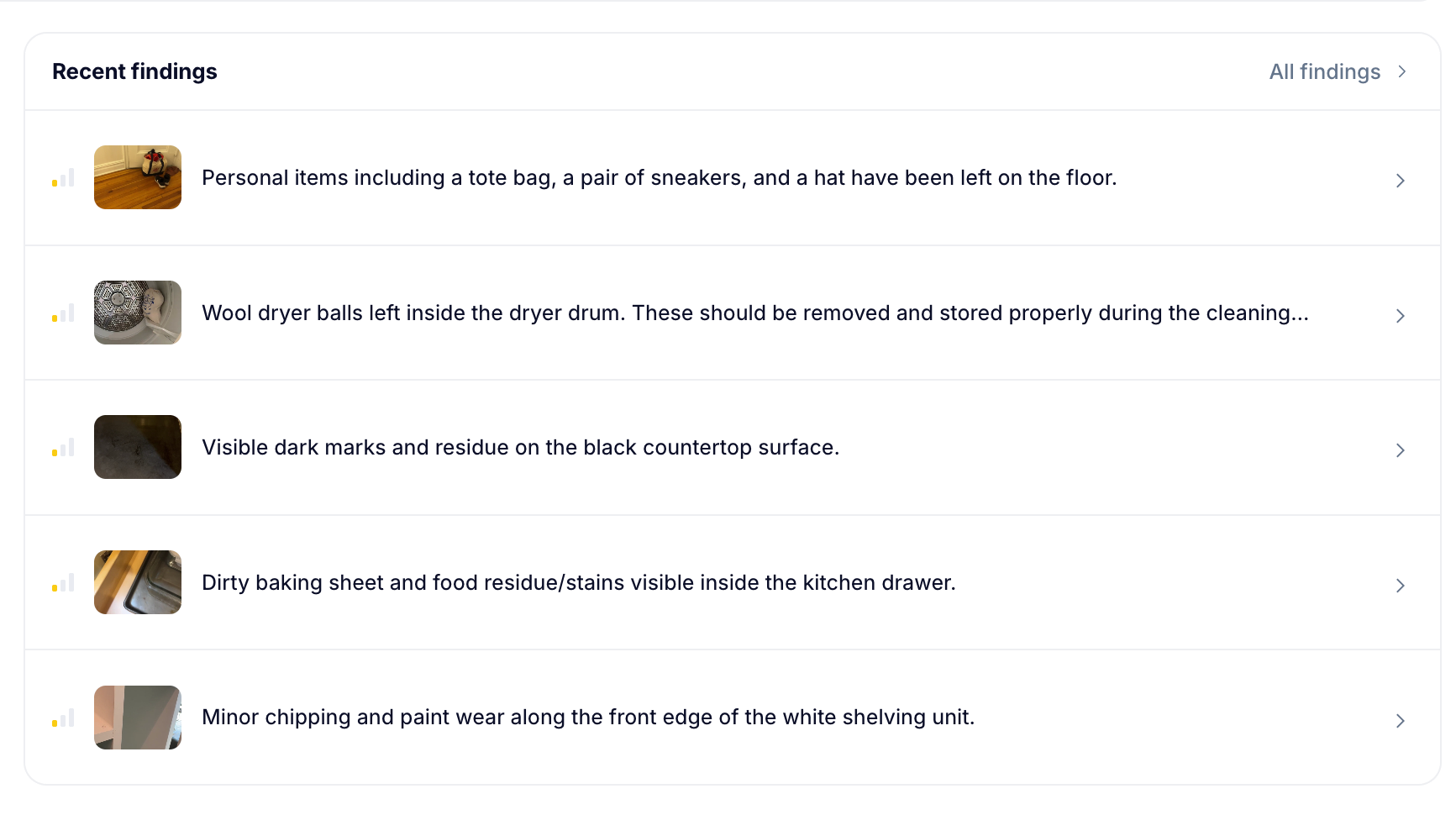
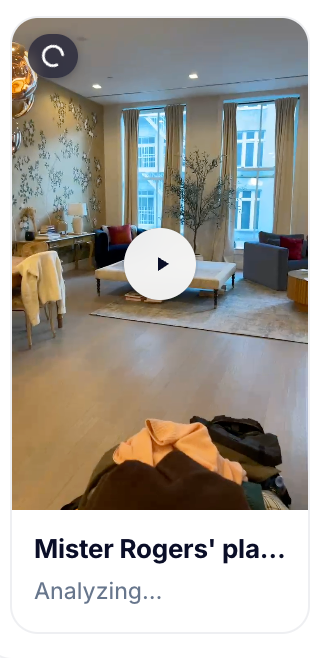
The checklist now checks itself. Every item a cleaner ticks is verified against the walkthrough video in near real time, while they are still standing in the unit. Missed work gets a live nudge with the exact frame we saw.
Explore Cleaner VerificationWe saw this in your video 20 seconds ago.
Cleaner accountability analytics
Per-cleaner recording rates, quality trends over any date range, and one-click PDF exports for owner and vendor conversations.
Report delivery status per property
Every property now shows whether its latest inspection report was delivered, and where.
Self-serve onboarding
Create an account, put a card on file, and connect your PMS without booking a call. RapidEye starts inspecting the moment you connect.
The dashboard got fast
Instant preview frames and leaner overview aggregates make large portfolios feel immediate.
RapidEye v2: the new dashboard
One overview where every card is a door, severity becomes scannable, and Review finally belongs to the back-of-house team.
See what changed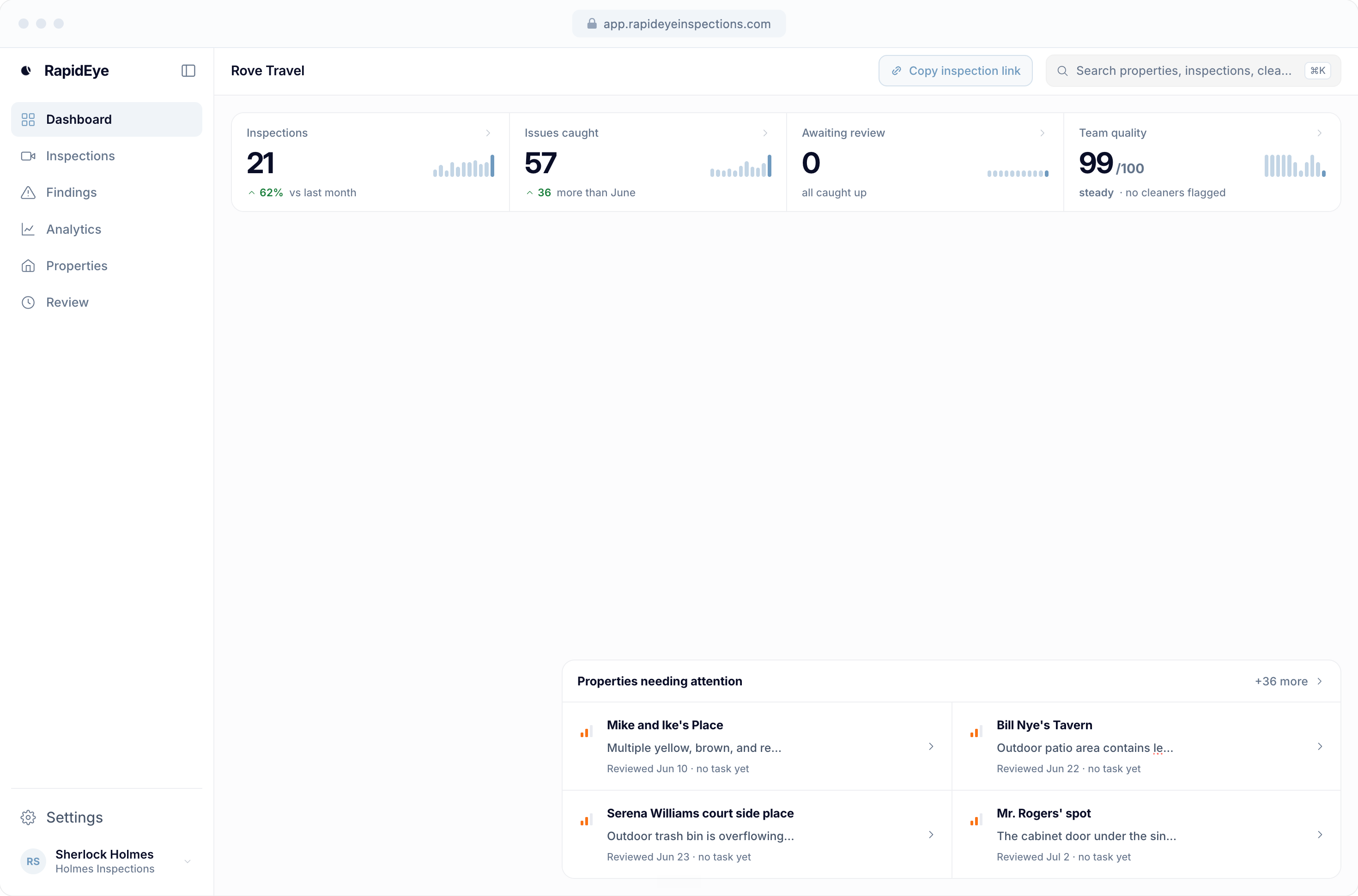
One click from Breezeway to an AI damage report
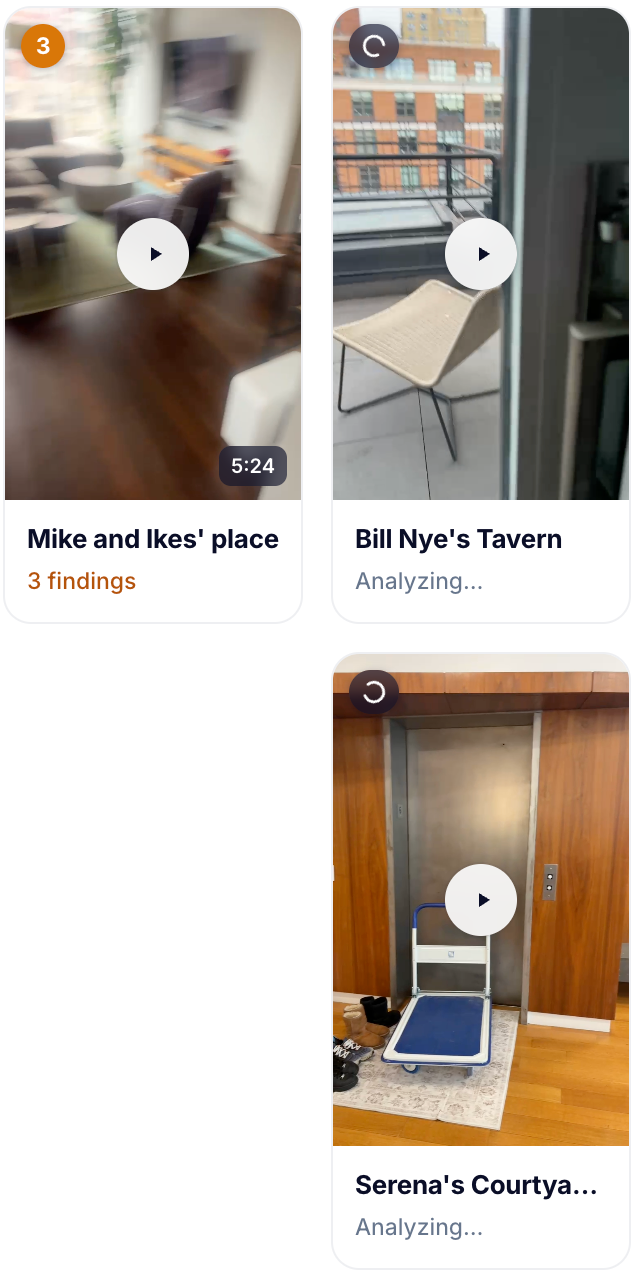
The Chrome extension reads the turnover photos already on screen. Cleaners change nothing, and the report arrives in your inbox.
Meet the extension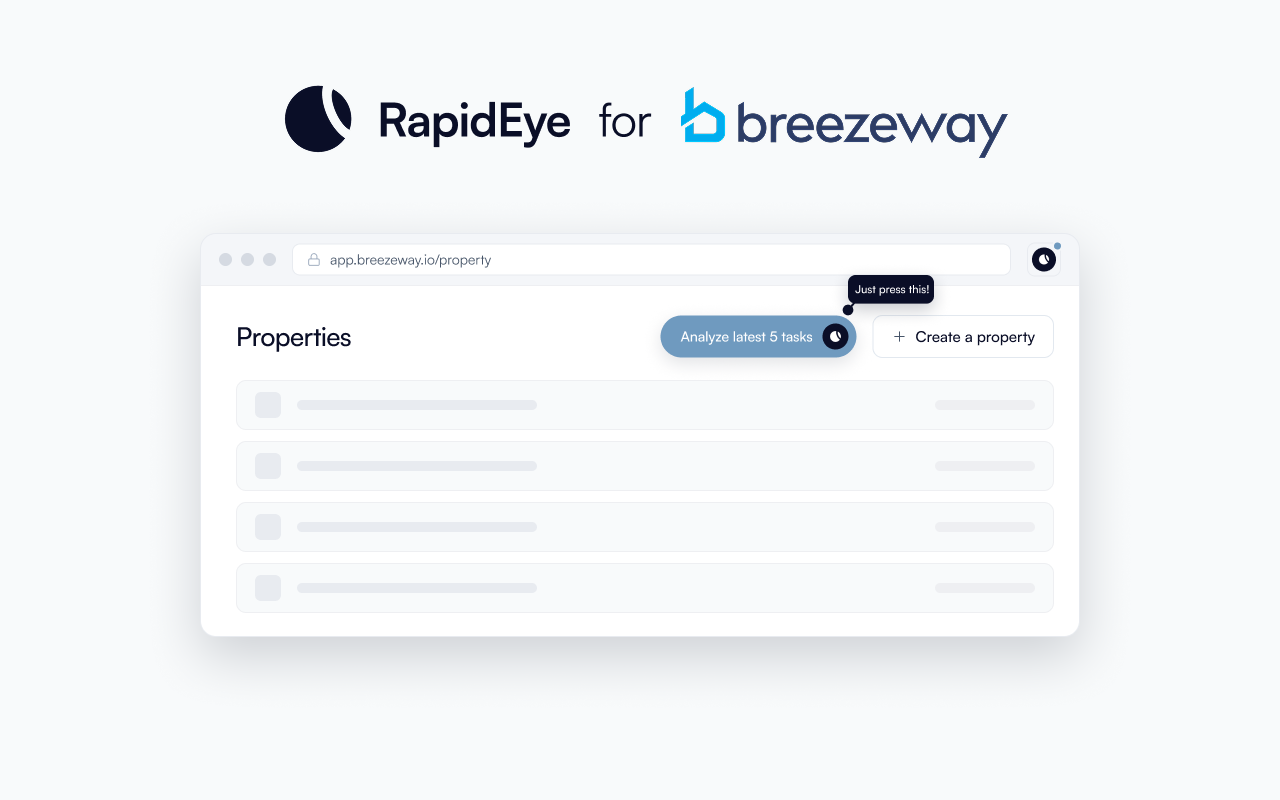
Slack channels map themselves
Customers looking to connect Slack channels can add support@rapideyeinspections.com and we'll automatically connect each channel to the right property.
Multi-company workspaces
Operators running more than one Breezeway company can now manage them all from a single RapidEye account.
PDF report export
Any inspection report downloads as a print-ready PDF, rendered server-side so it matches the web report exactly.
Redesigned customer notifications
Notification emails got a full redesign, and Breezeway task links now deep-link straight into the task modal.
Redesigned recap emails
Monthly recaps are now forwardable to third parties as needed.
Bulletproofed video uploads
Dead zones, backgrounded phones, and interruptions now recover automatically in the field.
RapidEye goes public
AI inspection intelligence for vacation rental and hotel operators. Turnover photos and walkthroughs analyzed automatically, before the next guest finds the problem.
Read our launch story
Boom integration
Customers using Boom can now connect to RapidEye natively.
Recording UI redesign
A simpler walkthrough recording design that leads to better videos.
Per-property Slack notifications
Completed inspections post to each property's own Slack channel, so field teams see findings for exactly the homes they run.
Email report delivery
Every completed inspection now lands in your inbox, with a per-property toggle for including the walkthrough video link.
$50K at CMU's McGinnis Venture Competition
Screen wake lock during recording
Screens stay on during long recordings.
Pre-recording guidance
A quick overlay before each walkthrough shows how to film for the best analysis quality.
Finding photos attach to Breezeway tasks
When RapidEye creates a Breezeway task from a finding, the evidence photo now uploads with it.
Public sample report
A live, explorable sample report so anyone can see exactly what a RapidEye inspection looks like before connecting anything. See the sample report.
Morning digest
A daily Slack summary of yesterday's inspections across the whole portfolio, delivered before the day starts.
Auto-analysis on Breezeway task completion
RapidEye now notices when a Breezeway task is finished and analyzes its photos automatically. Nobody uploads anything, and nothing about the cleaner's workflow changes.
Video player on the report page
Replayable walkthrough videos on the report page show exactly where each finding happened.
Breezeway task creation from findings
Approve findings on the report and turn them into Breezeway tasks without leaving the page.
Property-level analytics
A per-property dashboard with cleaner-by-cleaner breakdowns of inspection activity and outcomes.
Baseline-generated checklists
Record a baseline walkthrough and RapidEye drafts the property's inspection checklist from it.
Breezeway portfolio import
Listing photos import from Breezeway automatically when you set up the Breezeway connection.
Damage analysis pipeline v2
Inspections now run through a rebuilt analysis pipeline, with photos compared against the property baseline and a full report generated at the end.
App UI rebuild
The entire app moved to a new design system: faster, cleaner, and consistent across every page.
Checklist verification v1
After a walkthrough, checklist items are checked against the video, with an optional real-time mode. The direct ancestor of 2026's Cleaner Verification.
Breezeway connection v1
The very first wire between RapidEye and Breezeway. It would become the wedge everything else is built on.
Guided recording checklist
A collapsible checklist rides along during the walkthrough on mobile, with default templates per property and a manual override for any item.
No-login recording links
Cleaners upload walkthroughs through a link, no login required, with resumable uploads that recover from interruptions.
AI damage detection v1
The first walkthrough video analyzed for damage end to end: findings marked on frames, checklist results saved, a report at the end.
First working beta
Create a property, schedule an inspection, get notified when it's done. Version one of RapidEye, two months after the first commit.
See what RapidEye catches in your properties
Send one turnover. We will inspect the photos and show you what the checklist missed.
The full changelog, on video
A 20 minute walkthrough of every release above, in order, with a full transcript. 30 chapters, each linked to its timestamp.
Read the full transcript
0:00 · What RapidEye Is and Why We Made This Video
So, I realized we've never actually published all the features that we include with RapidEye. So we recently built this changelog, and I want to just go through all of our features in a YouTube video, so anybody who's curious, you know, can figure out exactly what we do. So, in June 2025, RapidEye had
0:27 · How RapidEye Started: Missing Remotes and Bad Guest Reviews
its first working beta. This was started by my co-founder here in San Francisco, and he's a property manager himself. He was having some issues with, excuse my Cherokee, creaking, he was having some issues with remote controls actually in his properties. They would go missing. Cleaners wouldn't know where they went. Cleaners would misplace them, and the next guest would leave like a bad review because they couldn't find their remotes. And this is just one of like many, many issues that he found with his properties, and he worked in computer vision, and so he was like, I could fix this. And so, in July of last year, 2025, we had kind of our first
1:23 · AI Damage Detection for Vacation Rentals
AI damage detection v1. And this was, you know, detecting damages with videos of properties. And quickly, we realized that like an advantage of recording in Chrome in a browser,
1:45 · Recording in the Browser: No App and No Login
which comes natively on every single phone, is that you don't have to need a login. You don't even need an app, so anybody can use our features without having an app. And so another, you know, extension of this is no login recording. And so we built no login recording where somebody just press a link, and they can resume uploads for that link. So, in October of last year, this is when we really started picking up pace, as you can see by the changelog. This is when I around when I joined, and I was coming from AI in real estate appraisals, computer vision for real estate appraisals. And I was like, oh, I want to get get into another industry where we can deploy computer vision to solve a real problem. And this was another industry in which that was the case. And so, so when we started ramping up, this was the first guided recording checklist.
2:55 · Guided Recording Checklists for Cleaners
So as property managers, you know how important I switched to my OBS just to make sure we're recording here. We are recording. As a property manager, you guys know how important checklists are, not only because I mean, it tells the cleaner what to check, but also because when a cleaner has a checklist, they can check their own work, right? When you do a clean and you never go back against the checklist, you kind of just assume everything's good. And that's actually one of the principles we have behind rapidize. When a cleaner walks through their own work, they get to see it as well and they get to fix the things that are wrong. So this is the first time we did guided recording checklists.
3:40 · The First Breezeway Integration
And then soon after that, we had our first Breezeway connection. So if you're a property manager, you guys, a lot of you guys use Breezeway for your ops. And we love that. Like Breezeway is a great tool for that. And so we wanted to connect to Breezeway so that we could bring AI damage detection to the photos that you guys already have in this platform. And so that was October of 2025. So in November of 2025,
4:05 · Bounding Boxes on Damage Findings
we introduced bounding boxes to help people see their findings easier. And we are also cutting down analysis latency. Okay, so then in later November of 2025, we
4:27 · Cleaner Checklist Verification: Instant Feedback After a Clean
introduced the checklist verification. The idea is here is we have two main steps in RapidEye. One is the immediate step. And the other is a longer step that we have to go through all of your previous photos and all of your existing Matterport and turn like, what's it called, listing photos to check to make sure this cleaner did the right thing. However, for most of the checklist items, we don't need to do that. And so right after your cleaner uploads a video, they get a report that says, you know, you did this right, you did this right, but you did this wrong, make sure this is right. And then they can upload proof that they did it right. And then it checks off. And that's right after they clean. So this this really helped the properties we were deployed at the time, make sure everything was good.
5:21 · App UI Rebuild and Damage Analysis Pipeline v2
December 13, we introduced the UI change, nothing really crazy there. And then we also we did a bunch of stuff in December, it looks like. So oh, yeah, chunk streaming upload. Okay, another thing we did in December was we did a V2 on our damage analysis pipeline. After the app UI rebuild, we updated damage analysis pipeline to be just better in every way, we made some benchmarks for this. And this was a lot of the work that Rohan was doing with computer vision, while still is doing with computer vision. And he we updated that Breezeway portfolio imports a two step import with an editable
6:05 · Breezeway Portfolio Import and Property Sync
preview. Yes, so this is, this is like just another thing that we do with our Breezeway connection, we can sync all the properties over so that the properties in RapidEye are the exact same in Breezeway. And then you can turn on whichever properties you want in RapidEye, which is super nice.
6:28 · AI Generated Checklists for Every Property
Baselite generated checklists. Okay, so big thing is that like a lot of property management companies have these generic checklists that they send off to all their properties. And in a perfect world, you'd want a prop a checklist per property, you'd want each property, you have a specific checklist, which is really hard to do across hundreds, 200s properties. And so we use the same AI detection software that we've been developing in house to allow us to create a perfect checklist for each property each time. And this is this is this is pretty hard stuff to do. And it's always improving. unified video.
7:06 · Video vs Photos for Property Inspections
Yeah. I mean, this is kind of getting into the lower level stuff here. But I think it's still good to talk about it. We offer videos, we also offer photos on our platform. videos provide a lot more detail for our AI analysis. Because think about it. For photos, you have like 30 photos per property. I mean, we have some people who take 60 hundreds of photos per property, but that's only 100 different frames of the property with a video, the cleaner can go to those exact same spots, and we get everything in between so that we can do AI analysis on that. And it's just like, a lot of the property management companies we work with, like they want to, you know, get rid of a manual inspection step. And what I tell them is, if you want to do that video is the way to go. We can't we can't completely guarantee that we can do the job of an inspector with just photos. But with videos, that is a lot more realistic. And so yeah, we unified that property level analytics.
8:14 · Property Level Analytics and Findings History
So this is a big thing that we worked on, which was how can we show all the findings that we've been catching for properties in an analytics page? Yeah, that's, that's essentially it. I mean, maybe I should start showing the platform. I don't know. Maybe you'll have to book a call with us to see the actual platform. You can't see all the secret sauce. I think I'm going to gate the platform behind a call. Because if I show you guys this platform in this YouTube video, you guys are getting all the all the cool stuff here. And I want to meet you. So recall. Anyway, yeah, this is a really cool feature, you guys would love to see this, I'm sure. Oh, and also it shows cleaner by cleaner breakdowns as well. So like, if a cleaners doing bad, we can we can see that and notify you like hey, this cleaners doing worse than average. And if a cleaners doing great, we also can show that baseline import from listing
9:28 · Baselines From Listing Photos and Matterport Imports
photos. Yeah, so I've been talking about this like for the in the past, but like, this is essentially like, you guys already have listing photos that are up to date with how you want the property to look if we want to find out if your cleaners are are what is the right word here? I don't know why I'm blanking on the word. I say this in demo calls all the time. They're staging the property correctly. We love to have listing photos Matterport is another thing. If you guys use Matterport, that is great for us because what a Matterport is is just thousands and thousands of images that are presented and meshed together. We get all those images when you import the Matterport, and that allows us to check, hey, does the does the cleaners work look like the Matterport that you've staged perfectly, that is the ideal portion of the property, we can check that. Okay, recording links in Breezeway tasks.
10:25 · Recording Links Inside Breezeway Tasks
So this is another part of our Breezeway feature. This is super nice. Your cleaners after you integrate with our Breezeway, if they're using videos, they can just press on a video on their task, and it automatically opens the video for that property. They don't have to do anything else uploads in the background. Super convenient.
10:43 · Video Uploads That Survive Bad Wifi
We've spent a lot of time developing the infrastructure to make sure that upload works on really bad Wi-Fi. And, you know, you'd be surprised like a lot of property managers will come to us. They'll say, we tried video. But when we try video, the cleaner sits at the house for two hours uploading the video. And I tell them, try our recording link, because number one, some of our some of our customers are uploading 40 minute long videos. And that 40 minutes, they could be just uploading the video while they're recording. And that's exactly what our link does. They don't have to wait for an extra 40 minutes. But not only that, after they press complete, let me check, I'm getting the audio. Yeah, I think I'm getting the audio. Okay, good. That's Oh, I lost my train of thought. Basically, I was saying that Oh, yeah, I was saying essentially that like, it's uploading the background. And once you press stop recording, it is between like, zero and 10 seconds between the videos just uploaded. And so like, that is something that's like, it was tough to build, but it's worth it.
12:14 · Creating Breezeway Tasks From AI Findings
Breezeway task creation from finding. So if your team if you're, if you're a property management company, so you already have a team of VA's reviewing your photos, and reviewing for damages, well, think no more about reviewing 1000s of photos. Now we can distill all of those photos into like just a few of the actual things that matter. And your VA team can go through our review platform, and basically say, Hey, like, this is an issue, merge it to Breezeway. And you can create a Breezeway task directly from a platform like our whole goal is just like, Breezeway is a great platform for, for operations. Like, you guys already have all your stuff in Breezeway. We don't want to like take you from that. What we want to do is make it as easy as possible to basically have an inspector on top of that.
13:02 · Video Player, Multi Company Workspaces, Auto Analysis
Yeah, so video player on the report page, we recently update this again. Yeah, this is an improvement. But this is the original, like, update, like, you can play videos directly in our platform. If your VA is you're like, Oh, I don't know if this was a damage from before, they can just go to our platform and see all the videos. I mean, this is just a back end thing doesn't really matter. But our Breezeway connection is just better. Multicompany workspaces. Yes. So if you have more than one, like Breezeway accounts, or any ops account for that matter, you can manage that from rapidize multi company support now, auto analysis on Breezeway task that this yeah, this I was gonna say this might be the wrong day for this. But I think it is actually right. Anyway, these were all just like notification features, right? Like, oh, yeah. And then also, the public sample report. This is something I show on demo calls a lot.
14:24 · Public Sample Report and Evidence Photos
I'm not going to show it here. You should put a call with me. I'll show you the public sample report, you can also find it on their website. But this basically shows all the stuff that we detect, and we've got permission from the property managers you work we work with to show those things. And it's some pretty cool stuff. Like, it's pretty awesome. All right. Finding photos attached to Breezeway tasks. Great to be. Oh, yeah, this is just like a small feature. So when we create a Breezeway task, now we can upload the evidence photo there. It's pretty self explanatory.
14:59 · Pre Recording Guidance and Screen Wake Lock
pre recording guidance. So one issue that we were sometimes having was like some cleaners would just like not take long videos. Now there's an overlay telling them exactly what to do exactly what we're checking exactly what they're not going to be able to submit to our platform. And yeah, this is a nice feature. detection showcases. Yeah, this is more of an internal feature. I don't really need to do this screenweight lock during recording. Yeah. So sometimes, like I said, we'll have like 50 minute long recordings and like the phone will fall asleep. Now we can resume recordings perfectly fine, but it is nice to just have your phone completely awake during all those recordings. And now it does that.
15:41 · Winning 50K at the CMU McGinnis Venture Competition
April 5, we won 50K at the CMU McGinnis Venture Competition. This is a pretty good big deal. Can you read it here? Yeah, it's pretty sick. Sweet.
15:59 · Slack and Email Notifications
Notifications to email. Awesome. Slack notifications. We can integrate with your guys in Slack, we can integrate with a lot of communication platforms, email and Slack being two of them. But if you guys use anything else like Microsoft Teams, we can do that as well. Recording UI redesign, we designed redesign UI to be a lot more intuitive.
16:19 · Boom Integration and Public Launch
Boom integration, we built a Boom integration. So this was all like in like our pre release phase. We finally went public for everybody in April 29. I have an awesome, kind of an awesome thing. Yeah, I built this video. It's pretty nice. Well, I built the entire website. But besides the point bulletproof video uploads.
16:54 · Bulletproof Video Uploads
Yeah, so like video uploads can there's so many things and go around like a cleaner can switch a tab on their phone, a cleaner can turn off their phone, they can lose Wi Fi. They can get a call. This was just like everything that could possibly happen. I mean, we see everything. Like we actually do see everything you can possibly imagine. It's not bulletproof against all those things. I mean, maybe we'll encounter some more. But like after doing 1000s of inspections, you kind of come across most of them.
17:31 · Email Recaps, PDF Exports, PMS Sync
Redesigned email recaps. Yeah, these look really nice now. So if you get if you get a notification from rapid IV email, it's pretty nice notification. Same because there's PDF exports. So any inspection report that you want to like, send off, you can export as a PDF. Now, this is just an internal thing. PMS property sync another internal thing.
17:53 · The RapidEye Chrome Extension
Our Chrome extension. So this is a Chrome extension that anybody wanting to try out RapidEye can use. I'd honestly recommend just booking a call with us and we can get you started. But if you don't want to do that, you want to try a RapidEye without booking a call with us. You can analyze everything with the Chrome extension. It's pretty awesome.
18:19 · Dashboard V2 and Performance
V2 spent a lot of time on this one. And it was worth it because V2 looks amazing. It's a sneak peek into our dashboard that you will see if you book a call. With me, and then I can show you all these beautiful things. I need some water. But yeah, this is V2. Dashboard got fast. So we, we, we improved like a lot of these like assets like big videos take a long time to load. We, we made it a lot faster. Self serve on boarding.
19:04 · Self Serve Onboarding and Report Deliverability
So like Technically, you can do this without booking a call. But it's not worth it. You should do that. This is an internal I don't know why this is the change. This is an internal tool.
19:43 · Cleaner Accountability Metrics
Yeah, so this is another feature that we had on top of property or property analytics. This is now cleaner accountability metric. So if a cleaner is consistently uploading shorter videos than everybody else, we can see that if a cleaners not we have we have a feature where like the cleaners not recording the entire home, we can check that.
20:06 · Cleaner Verification V2: Catching a Trash Can That Was Not Emptied
So cleaner verifications. This is the the V2 of our original cleaner verification that I was telling you guys about, which is like after a cleaner completes a video, we can immediately give them any feedback. This one's an awesome ones like trash can was not completely empty because we detected that. And yes, you do want to catch everything. And you do want to get early access. Trust me. Um, yeah, that's our latest release. That's essentially all of our features.